-
Supported Models
Models supported by Full Unlock Toolbox: 18-19 2nd-gen Eado | 20 Eado PLUS | 21 Eado PLUS | 22 Eado PLUS-1.6L | 23 Eado PLUS (no sunroof) | Eado DT/XT/EV460 | 19 CS85 | 19-21 CS95 | Ruicheng/Ruicheng CC | 21 Ruicheng CC | 20 CS55 Plus | 19-20 CS75 Plus | 18-24 CS75 MT | T3 custom fleets | 22-24 Eado Plus Premium/Flagship | 22 Ruicheng CC | 23 Ruicheng Plus | 21-22 CS35 Plus 1.6L | 21 CS35 Plus 1.4T | 22-23 CS35 Plus 1.4T | 24 CS35 Plus Enjoy | 21-22 CS55 Plus | 2nd-gen CS55 Plus | 21-22 CS75 Plus | 2nd-gen CS75 Plus | 4th-gen CS75 Plus | 22-23 CS75 (network) | 22-23 UNI-V/iDD | 21-23 UNI-K/iDD | 20-23 UNI-T | Kaicheng F70 | Changan Hunter (Amap) | Changan Lantuozhe (map edition) | Changan Hunter K50 (map edition)
Models supported by No-Unlock App Store: 22-25 Eado Plus 1.4T | 22 Ruicheng CC | 23 Ruicheng Plus | 22-24 CS35 Plus 1.4T | 2nd-3rd-gen CS55 Plus | 22-25 CS75 (network) | 23 CS95 Plus | 22-24 UNI-V/iDD | 21-23 UNI-K/iDD | 24 Qiyuan A06 Classic | 24-25 Qiyuan Q05 Classic | Yida | Qiyuan A05 | 24 3rd-gen Eado (vertical screen) | 2nd/3rd-gen CS75 Plus | 22 UNI-T | 21-22 CS75 Plus (non-2nd-gen 75P) | 21-23 CS85 COUPE | 25 Changan CS55PLUS PHEV
New large-screen models: 3rd-gen UNI-V | 4th-gen Eado | 4th-gen CS75 Plus | 4th-gen CS55 Plus | 2026 Qiyuan Q05 | 2026 CS75 Pro | 2026 Qiyuan A06 | Qiyuan Q07
-
Toolbox vs App Store
Summary:
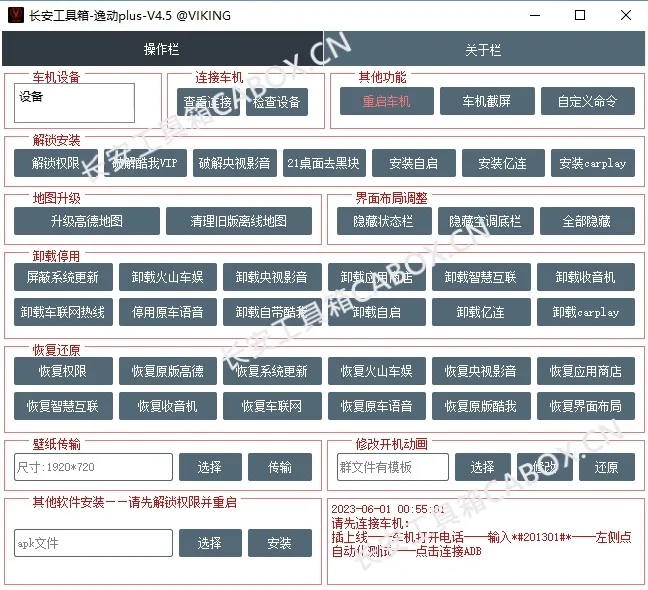
Full Unlock Toolbox: very powerful. It can install arbitrary apps directly on the head unit, upgrade stock Amap, enable auto-start, and apply UI adjustments. Downside: systems after 2023 generally require downgrade and should not be upgraded later.
No-Unlock App Store: can only install listed apps, Amap can only coexist, uninstall requires factory reset. Advantages: simpler operations, no downgrade, easy restore, system upgrade supported.
-
Toolbox Notes
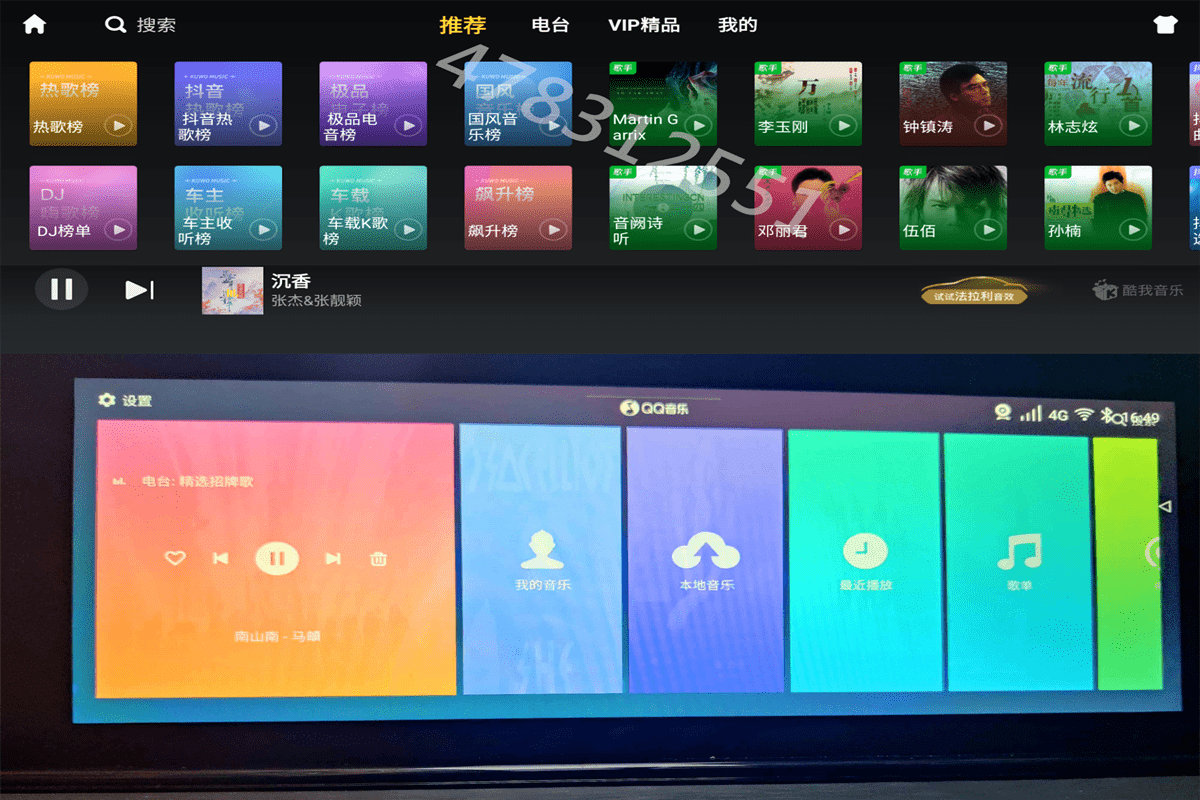
The toolbox removes manufacturer restrictions without root/ROM flashing. It supports map upgrades, app install/uninstall/update, desktop beautification, boot animation changes, and low-cost mobile interconnection (CarPlay, etc.). This is NOT ROM flashing.
Note: If head-unit OS is after March 2023, downgrade is usually required before unlocking. Downgrade packages are provided free. There is a very small chance of losing remote-control network (Smart Cloud Control), which may require 4S repair.
-
App Store Notes
The app store installs apps without unlocking and is not constrained by OS version. Only adapted apps are installable (currently 30+ common apps with UI adjustments).
Future policy: store apps will be maintained for up to 5 official versions or 2 years (estimated to 2026). See the "CABOX App Store" on the homepage for details.
Note: apps installed this way require factory reset to uninstall. System upgrades do not affect this.
-
Preparation
Prepare a computer and a data cable to connect to the head unit.
Cable: if your computer has a Type-C data port, an Android data cable works. Otherwise use a USB male-to-male data cable.
Computer: no special performance requirement; Windows 7/8/10/11 are all supported.
If downgrade is needed, prepare one USB drive (2GB-64GB).
-
Difficulty
1. Very easy, step-by-step operation.
2. Tutorial guidance is provided.
3. One free remote guidance session is included.
-
How to Purchase
Click the corresponding product above. Scan to purchase. Currently supports WeChat and Xianyu/Taobao platforms.
After purchase, download the program to a computer that can connect to your head unit, activate authorization, then use it.
-
User Agreement
1. This is a digital product. Once an activation code is issued, it is considered used. Refunds are not accepted unless the program is invalid.
2. License is bound to your PC hardware and valid permanently. One device change is allowed per calendar year, and cannot be switched back afterward.
3. Issues caused by your own PC/data cable (cannot open/cannot connect) are not tool defects.
4. If your system was modified before and not restored to initial state, paid repair may be required.
5. The toolbox is an auxiliary tool; it does not affect stock vehicle functions or warranty.
6. Your purchase covers toolbox software usage rights only. Non-toolbox issues are outside service scope.
7. Questions about toolbox/store programs are supported. Remote-session end means service completion.
A Letter to All Current and Future UsersBy purchasing, you acknowledge and agree to all terms above.
-
Please Do NOT Purchase If
If you need immediate support response time guaranteed, please do not purchase.
If you cannot download/run basic PC programs, please do not purchase.
If your head unit was modified before and not restored, please do not purchase.
If you used other tools before and did not restore, please do not purchase.
Recovery options: reflash system / restore manually / paid manual restore by us.
-
Join Group Chat
Click your model above and contact me directly via Xianyu or WeChat.
QQ Group 1 (mainly Eado owners): 478312551, Group 2 (full): 104996574, Group 3: 1078930447
WeChat Group: Changan Owners Career Group (not for head-unit chat)